
A data center runs two cable systems in one room: power feeds to the racks, and data links between them. They look similar from the floor, but they are built differently — ladder for the power, wire mesh for the data — and the layout is what decides whether the next change is a morning's work or a shutdown. This guide covers both systems and how to lay them out.
Two systems, not one
Power and data cables should not share a tray. Power cables can interfere with data cables, and every change to one system then touches the other. The standard data center layout is two tray systems on separate routes: one for power, one for data. The table is the short version; the sections below explain each row.
| System | Tray | Why |
|---|---|---|
| Power feeds | Ladder tray | Heavy cables, long runs, open structure ventilates so cables run cooler |
| Data and network | Wire mesh tray | Light cables, easy to cut and bend on site, quick to change |
| Control and instrument | Perforated tray | Full-length support for mixed bundles where the specification calls for it |
Power feeds: ladder tray
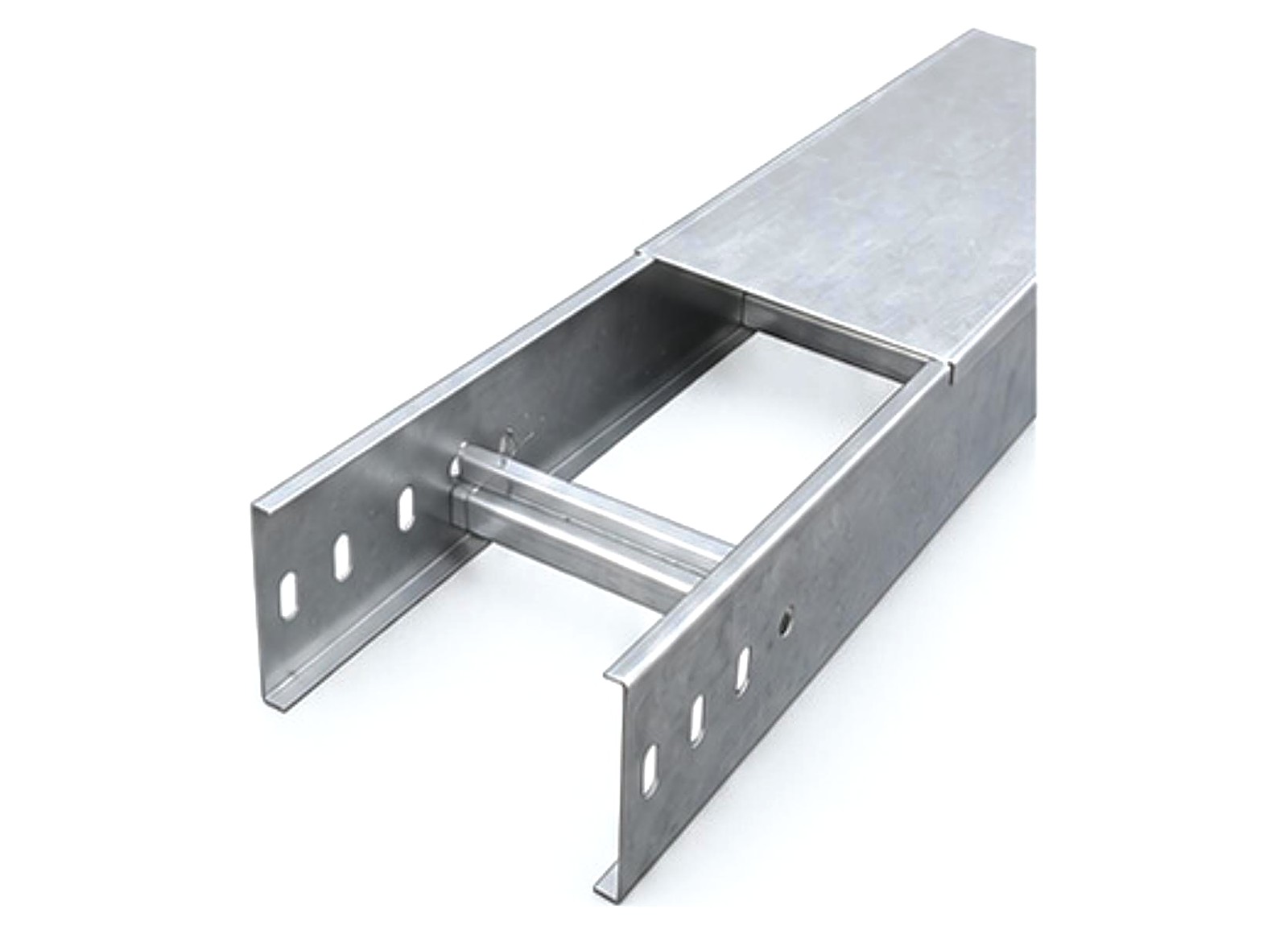
Power feeds to the racks are heavy cables on long runs, and that is what ladder tray is built for: two side rails joined by rungs, open underneath so cables run cooler, with rungs to tie cables down. For the same width and thickness, ladder generally carries more load than perforated tray, because the side rails do the work. Widths run from 50 mm to 1200 mm and heights from 10 mm to 200 mm, in thicknesses from 0.5 mm to 3.0 mm — the size is set by the cable bundle and the load chart, not by habit.
Power runs are usually overhead, above the cold aisle, so the feed to each rack drops straight down. Keep the power route and the data route apart along the whole run, not only at the rack — separation that only exists at the ends is not separation.
Data runs: wire mesh tray
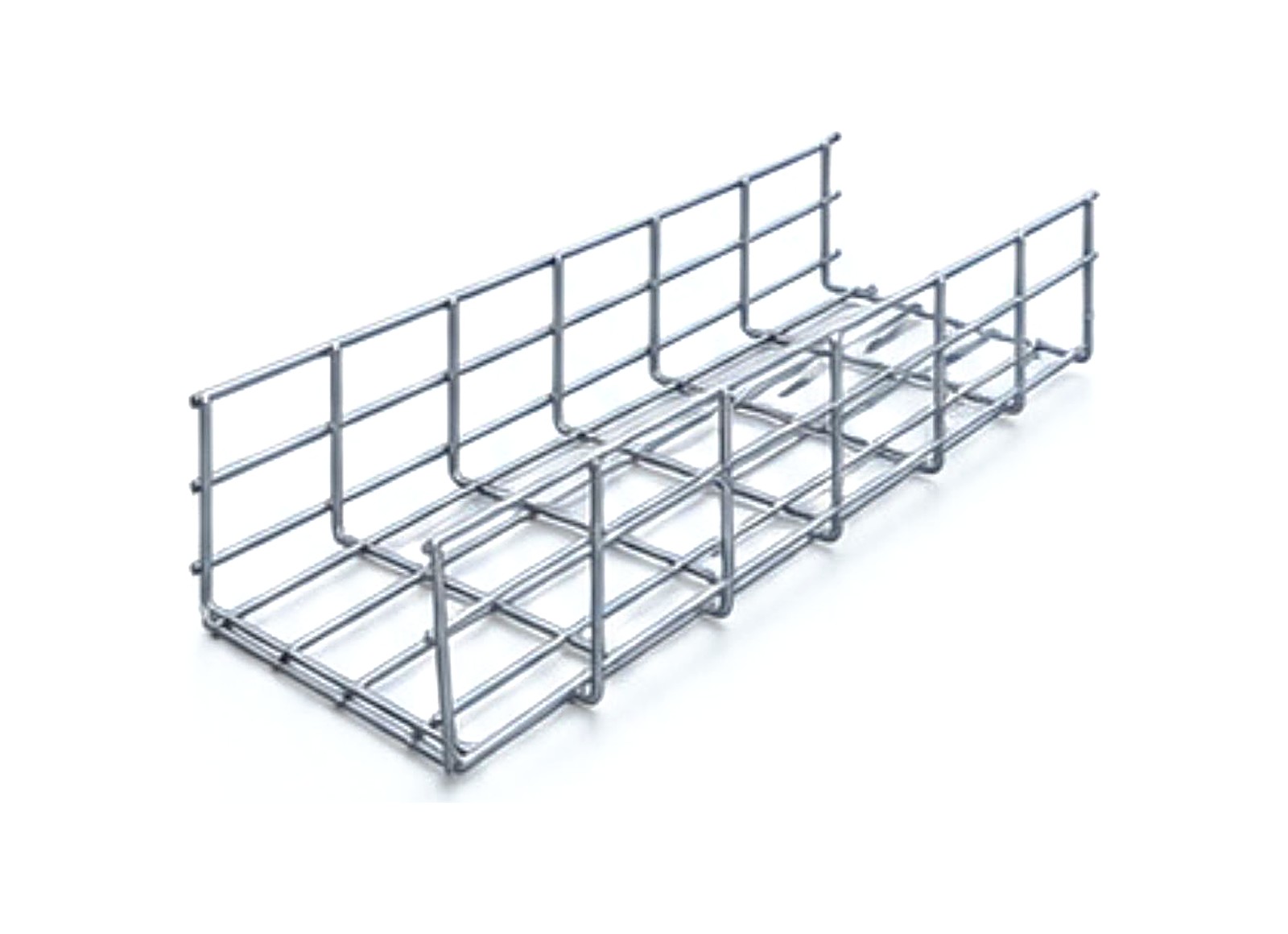
Data and network cables belong in wire mesh tray: a basket of welded steel wire, typically 3.5 mm to 6.0 mm in diameter. It is light, easy to cut and bend on site, and quick to install — which is why it is the standard choice for data, telecom and instrumentation cables in data centers. Cables are added, moved and removed often in a data center, and a mesh tray makes each change a small job instead of a rebuild.
Mesh is not a heavy power cable tray: spans between supports are shorter than for ladder or perforated tray, and the basket does not protect cables from dust or falling objects. It is at its best as a data cable system, above the racks, with room left for the next cable pull. This combination — wire mesh for data, ladder for power — is common in data center builds, including a data center project supplied in Singapore.
Layout: overhead, segregated, with room to grow
Three layout rules cover most of the mistakes. First, go overhead where the building allows it: overhead tray is easier to reach and easier to change than underfloor tray, and it keeps cables out of the cooling airflow under the raised floor. Second, keep power and data segregated along the whole route, with their own supports. Third, leave room: a data tray that is full on day one cannot take the next row of racks, and a power tray with no spare capacity cannot take the next power upgrade. Size both systems with spare capacity, and confirm the sizes against the load chart before ordering.
Finishes follow the room, not the tray: pre-galvanized indoors where the air is dry and controlled, hot-dip galvanized where humidity or a harsher environment is expected, stainless steel 316 only where corrosion is specified. The data center itself decides — the tray follows.
Building or fitting out a data center?
Send your layout or BOQ — Jason replies personally with a priced offer for the power and data tray systems, matched to your racks and routes.
Frequently asked questions
Which cable tray is used for data cables?
Wire mesh tray. It is light, easy to cut and bend on site, and quick to install — which is why it is the standard choice for data, telecom and instrumentation cables in data centers and commercial buildings.
Can power and data cables share one tray?
They should not share one tray. Power and data are kept in separate trays so the power cables do not interfere with the data cables and so each system can be changed without touching the other. Ladder carries the power feeds; wire mesh carries the data.
Should data center tray go overhead or underfloor?
Overhead is the usual choice for new builds: it is easier to reach, easier to change, and it keeps cables out of the cooling airflow under the floor. Underfloor tray is used where the design calls for it, usually for the power feeds to the racks.
What about bend radius for fibre cables?
Fibre needs a generous bend radius, larger than copper data cable and much larger than power cable. Keep bends wide and use factory-made fittings with a radius that clears the fibre specification — a tight bend is the most common cause of a fibre link that fails its test.
Get a quotation for your project
Send your BOQ or drawings and the tray type, size, finish, and quantity you need. Quotations are prepared per BOQ — no fixed price list — and cover trays, fittings, and accessories to match. WhatsApp: +86 195 6350 7326 · Email: [email protected]